fiskaly SUBMIT DE: Automating §146a Cash Register Declarations to ELSTER
Germany now requires declaring every electronic cash register to the tax office. How to automate the whole pipeline — taxpayer, establishments, clients, XML validation and ERiC transmission — with the SUBMIT DE API.
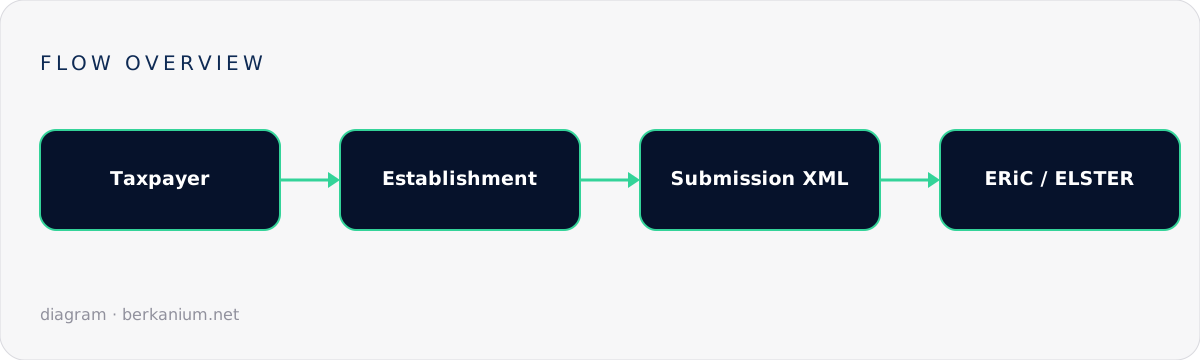
Signing transactions with a TSE was only half of Germany's cash-register regulation. The other half arrived on January 1, 2025: under §146a(4) AO, taxpayers must declare their electronic record-keeping systems — which tills exist, where they operate, and which TSE protects them — to the tax authorities via ELSTER. Doing that manually for a fleet is misery. fiskaly SUBMIT DE wraps the whole declaration pipeline — taxpayer, establishments, clients, XML generation, ERiC validation and transmission — in a REST API. Here's how to automate it end to end.
Key takeaways
- The declaration is mandatory: initial registrations plus a declaration on every change (new till, moved till, decommissioned TSE).
- SUBMIT DE's model: Taxpayer → Establishments → Clients (+TSS) → Submission → Transmission.
- Submissions ride a validation state machine ending in
TRANSMISSION_SUCCEEDED; every state is queryable, so you can build real monitoring. - If you already use SIGN DE, client and TSS data auto-populates — external TSE fleets can be declared too, with manual data.
The domain model in five minutes
| Entity | What it represents | Key fields |
|---|---|---|
| Taxpayer | The legal entity declaring | 13-digit unified federal tax number, 4-digit tax office number |
| Establishment | A physical business location | Address; one submission per establishment |
| Client | One ERS — cash register, taximeter, odometer | Serial, type, commissioning date, linked TSS |
| External TSS | A non-fiskaly TSE you also need to declare | Certification data entered manually |
| Submission | The declaration file for one establishment | XML + human-readable PDF preview |
Wiring it up
1. Authenticate and register the taxpayer
curl -X POST https://submission.fiskaly.com/api/v1/auth \
  -d '{"api_key": "...", "api_secret": "..."}'

curl -X PUT .../api/v1/taxpayer \
  -H "Authorization: Bearer $TOKEN" \
  -d '{
    "tax_number": "1234567890123",
    "tax_office_number": "9201",
    "name": "Beispiel GmbH"
  }'
2. Describe establishments and clients
curl -X PUT .../api/v1/establishment/$EST_ID -d '{
  "name": "Filiale Berlin Mitte",
  "address": { "street": "Torstraße 1", "zip": "10119", "town": "Berlin" }
}'

# SIGN DE clients: referenced — their TSS data is fetched automatically.
# External systems: registered manually with their TSE certification info.
curl -X PUT .../api/v1/external/tss/$XT_ID  -d '{ "certification_id": "BSI-K-TR-0000-0000", ... }'
curl -X PUT .../api/v1/external/client/$XC_ID -d '{ "tss_id": "'$XT_ID'", "serial_number": "TILL-07", ... }'
3. Create, validate, review, transmit
// Illustrative C# orchestration
var submissionId = Guid.NewGuid();

await api.PutAsync($"/submission/{submissionId}", new { establishment_id = estId });

// The service validates against ERiC plausibility rules:
// CREATED → VALIDATION_TRIGGERED → VALIDATION_SUCCEEDED → READY_FOR_TRANSMISSION
var state = await PollUntilAsync(
    () => api.GetStateAsync($"/submission/{submissionId}"),
    s => s is "READY_FOR_TRANSMISSION" or "VALIDATION_FAILED");

if (state == "VALIDATION_FAILED")
    throw new DeclarationException(await api.GetErrorsAsync(submissionId));

// Optional but wise: archive the artifacts before sending
await Save(await api.DownloadXmlAsync(submissionId));   // what will be transmitted
await Save(await api.DownloadPdfAsync(submissionId));   // human-readable preview

await api.PutAsync($"/submission/{submissionId}/transmission", new { });
// → TRANSMISSION_SUCCEEDED (or a queryable failure)
When do you have to (re)submit?
Think of the requirement as an event log of your till fleet. Triggers include:
- Initial registration of existing systems (the 2025 obligation, grace period to July 31, 2025 for pre-existing devices).
- Commissioning a new cash register — declare within a month.
- Decommissioning, replacing a TSE, or moving a till to another establishment.
The automation win: hook your device-lifecycle events (till provisioned / retired in your fleet DB) to submission creation, and the compliance paperwork becomes a side effect of operations instead of a quarterly panic.
Operational advice
- Archive every XML and PDF with the transmission timestamp — that's your proof of compliance.
- Alert on terminal states.
VALIDATION_FAILEDand transmission failures should page whoever owns compliance, with the API's error detail attached. - Reconcile quarterly: fleet database vs. declared clients. Drift means someone plugged in a till without telling the pipeline.
- Use metadata fields to tag submissions with your internal store ids — future you will grep for them.
FAQ
We use hardware TSEs from another vendor — is SUBMIT DE still useful?
Yes. The external TSS/client endpoints exist exactly for mixed fleets: you enter the certification data manually and still get the managed XML/ERiC/ELSTER pipeline.
Is this the same as the DSFinV-K export?
No — DSFinV-K is the transaction data format auditors pull during an audit (see the DSFinV-K article); SUBMIT DE is the registration of the systems themselves. You need both stories straight.
Can I preview what the tax office receives?
Yes — download the generated XML and the PDF rendering before triggering transmission. Put the PDF in front of a human for the first few runs.
Series & next steps
This is part two of the German fiscalization series — start with SIGN DE cloud TSE integration, continue with DSFinV-K exports. Building compliance into a POS product? Let's scope it together.