fiskaly SIGN DE: Implementing a Cloud TSE for German KassenSichV Compliance
A backend developer's walkthrough of Germany's cloud TSE: TSS lifecycle automation, client registration per BSI TR-03153, transaction signing with offline queueing, and audit-ready TAR exports.
Since Germany's KassenSichV regulation took full effect, every electronic cash register in the country must sign its transactions with a certified Technische Sicherheitseinrichtung (TSE / TSS). You can buy a USB stick per till and babysit hardware forever — or you can integrate a cloud TSE once and never think about SD-card lifetimes again. fiskaly SIGN DE is the leading cloud implementation: a RESTful API in front of a certified signing infrastructure. This guide walks a backend developer through the whole integration: TSS lifecycle, clients, transaction signing, and the export that keeps the tax office happy.
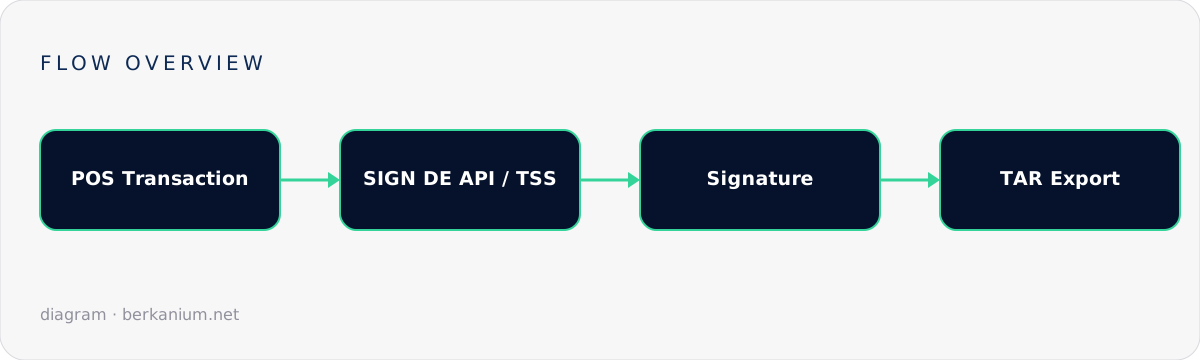
Key takeaways
- SIGN DE models three resources: TSS (the signing device), Clients (your cash registers, per BSI TR-03153), and Transactions (what gets signed).
- A TSS walks a strict lifecycle:
CREATED → UNINITIALIZED → INITIALIZED → DISABLED— automate it, don't click it. - Transactions are signed through start → update → finish calls; each state change gets a qualified signature.
- The TAR export is the artifact an auditor will actually ask for. Build the export path before go-live, not during the audit.
Why cloud TSE beats hardware sticks
The architecture is dictated by regulation: the certified components (SMAERS + CSP) must be operated independently of the taxpayer — which is precisely why fiskaly runs them in a certified cloud environment (Frankfurt region). For you, the practical differences are:
| Hardware TSE | Cloud TSE (SIGN DE) | |
|---|---|---|
| Provisioning | Ship & plug a stick per till | PUT /tss — seconds, scriptable |
| Scaling | Linear in hardware | Linear in API calls |
| Failure mode | Worn flash, lost sticks | Network dependency (plan offline queueing) |
| Fleet updates | Physical logistics | None — it's an API |
Step 1 — Authenticate
Everything starts with an API key pair and a token:
curl -X POST https://kassensichv-middleware.fiskaly.com/api/v2/auth \
  -H "Content-Type: application/json" \
  -d '{"api_key": "test_...", "api_secret": "..."}'
# → { "access_token": "eyJhbGciOi...", ... }
Step 2 — Create and initialize a TSS
The TSS is your signing device in the cloud. Creation and initialization are separate, deliberate steps, and administrative actions require an admin PIN authentication on top of the API token:
# Create (id is a UUIDv4 you generate)
curl -X PUT .../api/v2/tss/$TSS_ID \
  -H "Authorization: Bearer $TOKEN" -d '{}'

# Set the admin PIN, then authenticate as admin
curl -X PATCH .../api/v2/tss/$TSS_ID -d '{"admin_puk_or_pin_flow": "..."}'
curl -X POST  .../api/v2/tss/$TSS_ID/admin/auth -d '{"admin_pin": "..."}'

# Move it through its lifecycle
curl -X PATCH .../api/v2/tss/$TSS_ID -d '{"state": "UNINITIALIZED"}'
curl -X PATCH .../api/v2/tss/$TSS_ID -d '{"state": "INITIALIZED"}'
Treat the state machine as code — an idempotent provisioning script per environment. The TEST environment is generous (hundreds of TSS per day) but prunes inactive instances weekly, so never hard-code TEST ids.
Step 3 — Register clients
A client is one electronic record-keeping system — practically, one till. Serial numbers must be unique per TSS and follow the DSFinV-K 2.3 constraints (max 70 chars; no slashes or underscores):
curl -X PUT .../api/v2/tss/$TSS_ID/client/$CLIENT_ID \
  -H "Authorization: Bearer $TOKEN" \
  -d '{"serial_number": "POS-BERLIN-LANE-04"}'
Step 4 — Sign transactions
The heart of the integration. Every fiscally relevant process is a transaction with a start, optional updates, and a finish — each call returns signature material (signature counter, log time, value) that belongs on the receipt:
// Illustrative C# — start, then finish with the receipt schema
var txId = Guid.NewGuid();

await http.PutAsJsonAsync($"/api/v2/tss/{tssId}/tx/{txId}?tx_revision=1", new {
    state = "ACTIVE",
    client_id = clientId,
});

await http.PutAsJsonAsync($"/api/v2/tss/{tssId}/tx/{txId}?tx_revision=2", new {
    state = "FINISHED",
    client_id = clientId,
    schema = new {
        standard_v1 = new {
            receipt = new {
                receipt_type = "RECEIPT",
                amounts_per_vat_rate = new[] {
                    new { vat_rate = "NORMAL", amount = "119.00" }
                },
                amounts_per_payment_type = new[] {
                    new { payment_type = "CASH", amount = "119.00" }
                }
            }
        }
    }
});
// Response contains signature { value, counter, algorithm } + log time
// → print on the receipt per KassenSichV
Integration rules that save audits:
- Sign at the moment of sale, not in a nightly batch — the law cares about when the operation started.
- Queue offline. If the network drops, record the failure and sign as soon as connectivity returns; document the outage. Your POS must keep selling.
- Idempotent retries. The API is idempotent per transaction id + revision; reuse them on retry, never regenerate.
Step 5 — Exports for the auditor
An audit request means producing the signed log archive. Exports are asynchronous (PENDING → WORKING → COMPLETED) and yield a TAR per BSI TR-03153:
curl -X PUT .../api/v2/tss/$TSS_ID/export/$EXPORT_ID -d '{}'
curl      .../api/v2/tss/$TSS_ID/export/$EXPORT_ID          # poll state
curl -o export.tar .../api/v2/tss/$TSS_ID/export/$EXPORT_ID/file
Wire this into your admin panel as a one-click action with date filtering. The finance office's other favourite artifact — the DSFinV-K export — is a separate API and a separate article: DSFinV-K exports with fiskaly.
FAQ
Does a cloud TSE work if my internet dies mid-day?
You keep selling; you must record the TSE outage and resume signing when the link returns. Design the queue and the outage log up front — auditors ask about exactly this.
One TSS for all my stores, or one per store?
Both are possible; group by organizational and export needs. Many integrators use one TSS per store so exports and audits map 1:1 to a location.
What about the §146a declaration to the tax office?
That's a separate obligation (registering your cash registers with the authorities) — covered by fiskaly's SUBMIT DE API, which I break down in the next article of this series.
Next steps
Fiscalization is a moat-shaped chore: annoying to build, valuable once solid. If you're adding German compliance to a POS or SaaS product, book a consulting session — an afternoon of architecture beats a quarter of rework.