pepperQik API Best Practices: Building a Bulletproof POS-to-Terminal Bridge
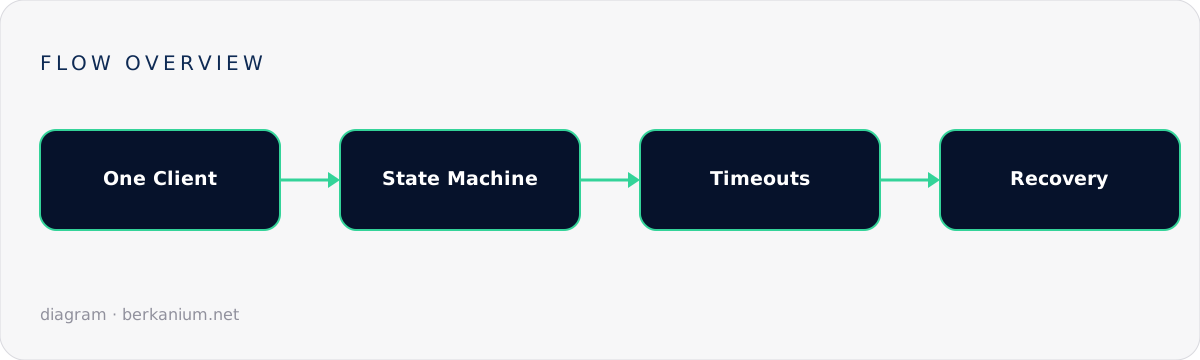
One client per terminal, an explicit state machine, first-class timeouts and cancellation, idempotent references, verbatim receipts and the observability that keeps payment lanes boring.
Integrating a payment terminal looks like a weekend job from the outside: one endpoint, one purchase call, done. Teams that have shipped it know better. The API surface is small; the discipline around it is the actual work. This article distills the practices that keep a pepperQik-based POS integration boring for years — the highest compliment payment software can receive.
Key takeaways
- One terminal, one owner: a single client instance per terminal, all requests serialized through it.
- Model the integration as an explicit state machine — implicit state is where double-charges live.
- Timeouts, cancellation and recovery are API features. Use them; don't improvise with thread aborts.
- Version pinning and a certification checklist turn upgrades from adventures into chores.
1. One client, one terminal, one queue
A physical terminal serves one cardholder at a time. Mirror that in software: create one long-lived client/peer object per terminal and funnel every request through a queue. Spawning a fresh client per request breaks session state (login, sequence numbers) and invites interleaved operations the terminal will reject — or worse, half-execute.
// Singleton per terminal — registered once at startup
services.AddSingleton<ITerminalGateway>(sp =>
    new SerializedTerminalGateway(          // wraps the raw client with a queue
        new PepperQikClient("http://127.0.0.1:8080"),
        maxQueueDepth: 1));                 // depth 1: reject, don't stack, extra payments
Queue depth of one is deliberate: if a payment is in flight, a second "Pay" click should bounce back to the UI, not wait silently and fire a surprise transaction 90 seconds later.
2. Make state explicit
Every production incident report in this domain contains the sentence "the POS thought the payment was…". Replace thought with a persisted state machine:
        ┌────────┐  send   ┌───────────┐ approved ┌───────────┐
        │  IDLE  │────────▶│ IN_FLIGHT │─────────▶│ COMPLETED │
        └────────┘         └─────┬─────┘          └───────────┘
             ▲    declined/abort │        timeout/crash
             └───────────────────┤              │
                                 ▼              ▼
                           ┌──────────┐   ┌────────────┐ query ┌─────────┐
                           │ REJECTED │   │ UNRESOLVED │──────▶│ resolved│
                           └──────────┘   └────────────┘       └─────────┘
Two rules make it bulletproof: persist the transition to IN_FLIGHT before calling the API (so a crash leaves evidence), and forbid any new financial operation while an UNRESOLVED record exists for that terminal.
3. Treat timeouts and cancellation as first-class
- Generous operation timeouts. A purchase includes human time. 60–120s before you even consider it late.
- Cancel through the API — an abort request the terminal understands — never by dropping the connection. A dropped socket converts a clean cancel into an unknown outcome.
- Separate connect timeouts from operation timeouts. "Terminal unreachable in 3s" and "cardholder is slow" are different signals deserving different reactions (see the error-code guide).
4. Idempotency and references
Give every payment attempt a unique, stable reference from your domain (invoice, basket id) and pass it on the request. It is the join key across POS logs, middleware logs and acquirer settlement files — the difference between a five-minute reconciliation and a spreadsheet weekend. Never reuse a reference for a retry of a different attempt; do reuse it when recovering the same attempt.
5. Receipts: take what you're given
Scheme rules dictate receipt content — mandatory fields, masked PAN formats, AID lines. The middleware hands you compliant receipt text; print it verbatim (styling is fine, editing is not). Reformatting receipts by hand is the most common certification failure in first-time integrations.
6. Configuration & upgrades
| Practice | Why |
|---|---|
| Pin middleware and terminal firmware versions per release train | They're certified as a pair; drift breaks in subtle ways |
| Keep terminal config (IP, currency, acquirer profile) out of POS code | Store staff swap terminals; your app shouldn't need a build for that |
| Stage upgrades on one pilot lane for a full settlement cycle | Some bugs only appear at end-of-day |
| Automate end-of-day and compare totals to POS records | Silent drift is the expensive kind |
7. Observability from day one
Minimum viable telemetry for a payment lane:
- Counter: transactions by outcome (approved / declined / aborted / unresolved).
- Histogram: operation duration — watch the p95 creep when a terminal starts dying.
- Alert: any
UNRESOLVEDolder than 2 minutes; any end-of-day mismatch; terminal unreachable > 5 minutes during trading hours. - Logs shipped off-till nightly, reference-keyed, PAN-free.
FAQ
Should the POS talk to the middleware synchronously or via a message bus?
Locally, a synchronous call with a proper state machine is simpler and sufficient — the operation is inherently interactive. Buses shine above the lane: shipping events to back-office and reconciliation systems.
How do I test without burning real cards?
Terminal vendors and acquirers provide test configurations and cards for integration environments; combine those with a simulator for CI so the ugly paths (timeout, abort, recovery) run on every commit, not once before certification.
What's the single most valuable practice on this list?
The persisted state machine. Everything else limits blast radius; that one prevents the blast.
Further reading
The official guidance lives in the pepperQik API best-practices documentation. This article closes the pepper series — start from Windows service deployment, Docker, EftPeer operations and error handling. Need this shipped in your product? Start a project.