Running pepperQik in Docker: Containerizing Your EFT Terminal Integration
Deploy payment middleware like any other workload: a production-shaped compose file, terminal networking options, log persistence for compliance and settlement-safe rollout pipelines.
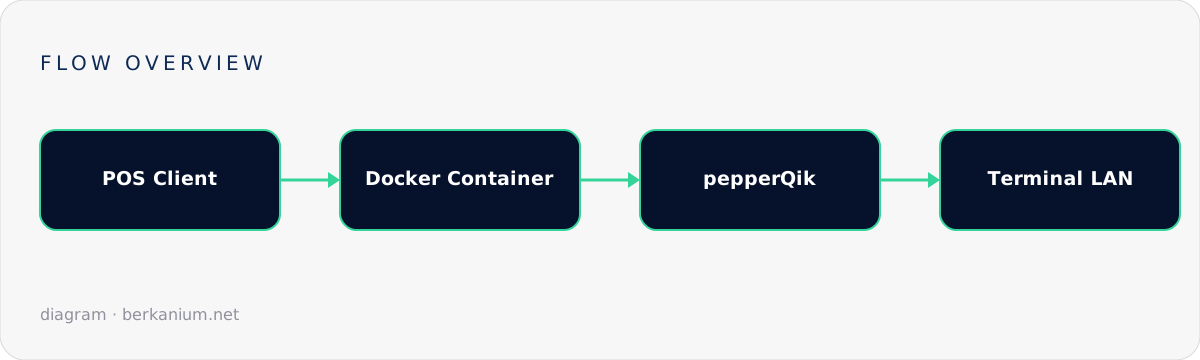
Payment middleware used to mean a Windows box under the counter. It doesn't have to anymore. pepperQik — Treibauf's terminal-integration service — also runs happily in a Docker container, which changes the deployment story for Linux-based POS systems, self-service kiosks, and retailers who manage fleets with the same tooling as their cloud workloads. This guide covers the container deployment model: networking to a physical terminal, persistence, health checks, and the fleet-management patterns that make containers worth it.
Key takeaways
- Containers give you immutable, versioned middleware: rolling a store back is
docker compose upwith yesterday's tag. - The hard part is networking — a container must reach a physical terminal on the store LAN, so plan your network mode deliberately.
- Logs and configuration must live in volumes; a container that loses its transaction logs on restart is a compliance incident waiting to happen.
- Health checks + restart policies replicate what the Windows Service Control Manager gave you — don't skip them.
Why containerize payment middleware?
Three real-world wins:
- Reproducibility. The image that passed certification in the lab is byte-for-byte what runs in store #217. No "it works on the pilot till" mysteries.
- Fleet operations. If your stores already run a container runtime (many modern POS distros do), the payment service becomes just another workload: same registry, same rollout pipeline, same monitoring.
- Isolation. The middleware gets exactly the filesystem, network and resources you grant it — good for PCI scoping, great for keeping a misbehaving process from starving the till.
A production-shaped compose file
An illustrative docker-compose.yml for one lane:
services:
  pepperqik:
    image: registry.example.com/pos/pepperqik:2026.09
    restart: unless-stopped            # SCM-style crash recovery
    network_mode: host                 # simplest path to the terminal LAN
    volumes:
      - ./config:/app/config:ro        # terminal + acquirer configuration
      - pepper-logs:/app/logs          # transaction logs MUST survive restarts
    environment:
      - TZ=Europe/Zurich               # settlement windows care about time
    healthcheck:
      test: ["CMD", "wget", "-qO-", "http://127.0.0.1:8080/health"]
      interval: 15s
      timeout: 3s
      retries: 3

volumes:
  pepper-logs:
Networking: the decision that matters
The container must open a TCP connection to a physical terminal sitting on the store network. Your options, in order of operational simplicity:
| Mode | How | Trade-off |
|---|---|---|
host | Container shares the host network stack | Zero NAT surprises; least isolation. The pragmatic default on a till. |
bridge + published ports | POS→container via published port; container→terminal outbound | Works because the terminal connection is outbound; just don't expect terminal-initiated callbacks to find you. |
macvlan | Container gets its own LAN IP | Cleanest for terminal-initiated traffic; most setup effort. |
Whichever you choose, give the terminal a DHCP reservation. Half of all "Docker payment issues" are a terminal that changed IP over the weekend.
Persistence and compliance
Two directories deserve volumes, not container layers:
- Configuration — mount read-only. Config drift between image and store is how you end up with one lane on the wrong acquirer profile.
- Logs — transaction journals are your dispute evidence and, in some markets, a regulatory artifact. A named volume with host-side rotation and shipping (e.g. to Loki or CloudWatch) is the minimum bar.
Rollouts without broken checkouts
The golden rule: never replace the container while a batch is open. A sane pipeline:
- Push the new image tag to your registry; stores pull but don't switch.
- After close-of-day (settlement done — see EftPeer operations), the orchestrator swaps the tag.
- Health check gates the till's "ready" state; the first morning transaction is your smoke test — on one pilot store for a week before the fleet.
# Store-side updater (systemd timer, 02:00 local)
docker compose pull pepperqik
docker compose up -d pepperqik
curl -sf http://127.0.0.1:8080/health || systemctl start pos-alarm.service
Kiosks and self-checkout: where this model shines
Unattended hardware is exactly where immutable infrastructure pays off. A kiosk with a read-only OS, a container runtime and two workloads — your kiosk app and pepperQik — can be re-imaged from scratch in minutes, holds no writable state outside declared volumes, and updates without a technician visit. Terminal pairing survives because the config volume does.
FAQ
Can the container reach a serial (RS-232) terminal?
Yes, by passing the device through: devices: ["/dev/ttyUSB0:/dev/ttyUSB0"]. Ethernet-attached terminals are still the happier path in a containerized world.
Does containerization affect PCI scope?
The middleware handles cardholder-adjacent data, so the host and container are in scope either way. Containers help you shrink scope by isolating the payment workload and making its configuration auditable — they don't remove it.
Windows service or Docker — which one?
Windows tills: native service (see the Windows service guide). Linux POS, kiosks, or anything managed like cattle: Docker. Both talk to your POS the same way, so the choice is purely operational.
Further reading
Official reference: pepperQik Docker deployment docs. Planning a containerized POS rollout? Tell me about it — infrastructure that touches money is worth designing twice and building once.