Quartz.NET Integration: Scheduled Jobs You Can Actually Trust
From the while-true-Task.Delay era to clustered schedulers: persistent job stores, misfire policies, timezone traps, idempotent job design and the observability layer everyone skips.
There's a moment in every backend's life when someone types while (true) { await Task.Delay(60000); DoTheThing(); } into a hosted service, and for a while, life is good. Then the app scales to two instances and the thing runs twice. Then a deploy lands mid-run and the thing runs zero times. Then finance asks why invoices went out twice on the 1st and not at all on the 2nd, and you discover that "run this at 6 a.m." is, in fact, a distributed systems problem.
Quartz.NET is my answer to that moment. It's not glamorous. It's a twenty-year-old scheduling engine ported from Java, and that's precisely why I trust it: every sharp edge has been filed down by someone else's outage. Here's how I integrate it into ASP.NET Core apps, cluster it, and keep jobs honest.
The mental model: jobs, triggers, and a store
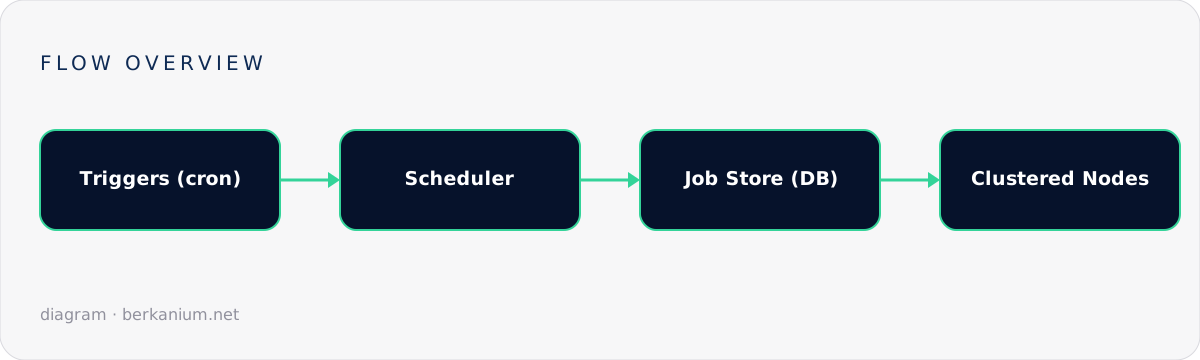
Quartz separates what runs (a job class) from when it runs (triggers — cron or interval) from where state lives (the job store). That last one is the difference between a toy and a tool. With the default RAM store, restarts forget everything. With the ADO job store pointed at your database, schedules, misfires and locks survive deploys — and multiple app instances coordinate through row locks so each firing happens on exactly one node.
// Program.cs — the whole setup
builder.Services.AddQuartz(q =>
{
    q.UsePersistentStore(store =>
    {
        store.UseSqlServer(cfg.GetConnectionString("Jobs"));   // or Postgres/MySQL
        store.UseNewtonsoftJsonSerializer();
        store.UseClustering();                                  // the magic line
    });

    q.ScheduleJob<InvoiceDispatchJob>(t => t
        .WithIdentity("invoice-dispatch")
        .WithCronSchedule("0 0 6 * * ?",                        // 06:00 every day
            x => x.InTimeZone(TimeZoneInfo.FindSystemTimeZoneById("Europe/Istanbul"))
                  .WithMisfireHandlingInstructionFireAndProceed()));
});

builder.Services.AddQuartzHostedService(o => o.WaitForJobsToComplete = true);
Three deliberate choices in there. Clustering on, because two app instances are inevitable. An explicit timezone, because "6 a.m." in a container defaults to UTC and your Istanbul invoices go out at 09:00 — ask me how I know. And a misfire policy, because the question "the server was down at 6, now it's 6:40 — do we still run?" deserves an answer you chose, not a default you discovered.
Writing jobs that survive contact with production
[DisallowConcurrentExecution]                       // no overlapping runs of THIS job
public sealed class InvoiceDispatchJob(
    IInvoiceService invoices,
    ILogger<InvoiceDispatchJob> log) : IJob
{
    public async Task Execute(IJobExecutionContext ctx)
    {
        // The run might be a retry, a misfire recovery, or a manual trigger.
        // Every action inside must therefore be idempotent.
        var date = ctx.MergedJobDataMap.GetString("date")
                   ?? DateOnly.FromDateTime(DateTime.UtcNow).ToString("O");

        var sent = await invoices.DispatchPendingAsync(
            forDate: DateOnly.Parse(date),
            ct: ctx.CancellationToken);            // honor shutdown!

        log.LogInformation("Invoice dispatch for {Date}: {Count} sent", date, sent);
    }
}
The habits that matter more than any Quartz feature:
- Idempotency inside the job.
DispatchPendingAsyncselects invoices not yet sent and marks them atomically. If the job fires twice — and one day it will — nothing doubles. The scheduler's exactly-once is best-effort; your database's is real. - Honor the cancellation token. Paired with
WaitForJobsToComplete, deploys become graceful: the old node finishes or cancels cleanly instead of dying mid-batch. [DisallowConcurrentExecution]when a run can outlast its interval. A 20-minute job on a 15-minute trigger without it is a self-inflicted pile-up.- Keep jobs thin. The job class parses context and calls a service you can also invoke from a controller or a test. Scheduling is an entry point, not a home for business logic.
The ops layer people skip
A scheduler with no observability is a mystery generator. My minimum kit:
- A job listener that logs every execution (job, trigger, duration, outcome) as structured fields — straight into Graylog, naturally, with an absence alert: "invoice-dispatch produced no success log today" pages someone before finance does.
- A tiny admin endpoint listing scheduled jobs, next fire times, and a "trigger now" button (with an audit log). The first time support asks "can we just re-run yesterday's batch?", you'll be glad it exists.
- Dead-man tracking in the database: jobs write a heartbeat row on completion. Dashboards read the table, not the scheduler's memory.
Quartz vs Hangfire vs "just use cron"
The honest comparison table, in prose. Hangfire has a nicer built-in dashboard and shines for fire-and-forget background work queued from requests; its recurring jobs are fine, but Quartz's trigger model (calendars, exclusion dates, chained schedules, per-trigger misfire policy) is a class apart when scheduling is the problem. OS cron + a console app is genuinely correct for one server and one job — no shame in it — but it can't cluster, and "which server owns cron now?" is how snowflakes are born. My rule: business-critical, time-sensitive, multi-instance → Quartz. Offloading slow work from web requests → Hangfire or a queue. Both in the same app is common and fine.
Got a scheduler graveyard — three cron jobs, a Hangfire dashboard nobody watches, and a mystery Task.Delay loop? Untangling exactly that is a service I offer, and yes, we'll find the invoice bug.