Jenkins vs GitLab CI: What a Decade of Pipelines Taught Me
A candid comparison from someone who has operated both: the philosophical split, the same pipeline in Jenkinsfile and .gitlab-ci.yml, where each tool still wins, and one rm -rf war story.
I have a confession: I still have a soft spot for Jenkins. Not because it's good — parts of it are actively hostile — but because it taught a whole generation of us what CI even was. Somewhere out there is a Jenkins box I set up years ago, uptime measured in years, quietly building someone's monolith every night. Nobody dares touch it. That box is the entire Jenkins experience in one sentence.
These days most of my pipelines live in GitLab CI, and when a client asks "which one should we use?", my honest answer takes about twenty minutes and involves at least one story about a plugin upgrade gone wrong. This article is the written version of those twenty minutes.
The philosophical difference nobody says out loud
Jenkins is a automation server. It doesn't care about your git workflow, your merge requests, or your opinions. It runs jobs. Everything else — SCM polling, pipeline-as-code, Docker agents, notifications — arrived later, bolted on through roughly 1,900 plugins of wildly varying quality. That's not an insult; it's the design. Jenkins is a Swiss army knife that someone kept welding new blades onto for fifteen years.
GitLab CI was born inside a git platform, and it shows. The pipeline isn't a thing you connect to your repo — it is part of your repo. Merge request? Pipeline. Tag? Pipeline. The integration isn't a feature, it's the whole point.
In practice this means: Jenkins can automate literally anything, including things that have nothing to do with your codebase (I've seen it restart office printers). GitLab CI automates your software delivery, brilliantly, and gets awkward the further you stray from that path.
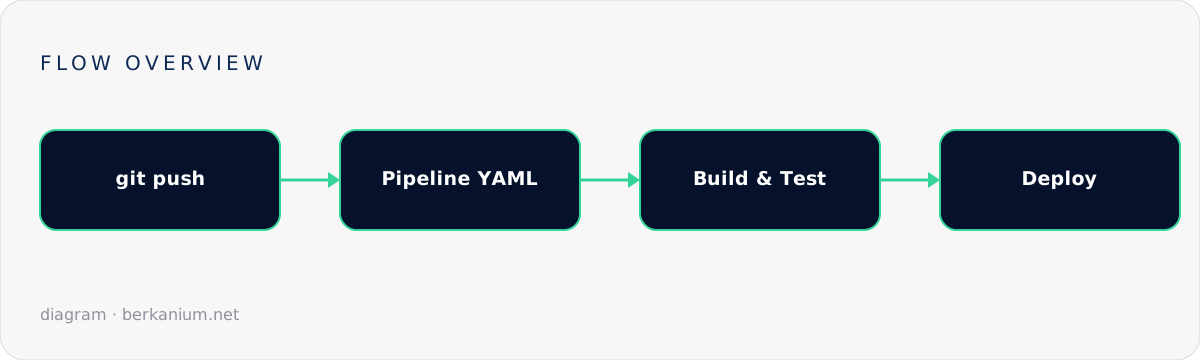
Two files, same job
Here's the same pipeline in both dialects. First, a Jenkinsfile (declarative — if you're still writing scripted pipelines in Groovy, we need to talk):
pipeline {
    agent { docker { image 'mcr.microsoft.com/dotnet/sdk:8.0' } }

    stages {
        stage('Build') {
            steps { sh 'dotnet build -c Release' }
        }
        stage('Test') {
            steps { sh 'dotnet test --logger trx' }
            post {
                always { junit '**/TestResults/*.trx' }  // needs the MSTest plugin. Of course it does.
            }
        }
        stage('Deploy') {
            when { branch 'main' }
            steps { sh './deploy.sh staging' }
        }
    }

    post {
        failure { slackSend channel: '#builds', message: "💥 ${env.JOB_NAME} ${env.BUILD_NUMBER}" }
    }
}
And the .gitlab-ci.yml equivalent:
image: mcr.microsoft.com/dotnet/sdk:8.0

stages: [build, test, deploy]

build:
  stage: build
  script: dotnet build -c Release

test:
  stage: test
  script: dotnet test --logger trx
  artifacts:
    when: always
    reports:
      junit: '**/TestResults/*.trx'   # built in. No plugin. This is the pitch.

deploy-staging:
  stage: deploy
  script: ./deploy.sh staging
  rules:
    - if: $CI_COMMIT_BRANCH == "main"
  environment: staging
Look at the test-report lines in both. That's the whole comparison in miniature: in GitLab it's two lines of YAML that were always going to work; in Jenkins it's a plugin, and the plugin has a changelog, and the changelog has a line that says "breaking change" somewhere in your future.
Where Jenkins still wins
- Weird environments. Building for Windows, macOS, some ancient AIX box, and an FPGA toolchain in the same pipeline? Jenkins agents will happily run anywhere Java runs, which is everywhere. GitLab runners are catching up, but Jenkins has twenty years of "we build on that too".
- Organizational inertia, the good kind. If a company already has Jenkins with 400 jobs and a team that knows it, migrating is a project, not a decision. Sometimes the right architecture is the one you already operate well.
- Truly custom orchestration. Pipelines that coordinate humans (approval chains across departments, scheduled windows, tickets) bend Jenkins' shared libraries into shapes YAML doesn't want to make.
Where GitLab CI wins (which is most places, now)
- Everything is versioned. Pipeline config lives in the merge request that changes the code. Review the build change and the code change together. Once you've worked this way, Jenkins job configs feel like editing production by hand.
- Zero-maintenance runners. Autoscaling Docker/Kubernetes runners you set up once. Compare: Jenkins agent AMIs, plugin compatibility matrices, and the biannual "let's upgrade Jenkins" ritual that eats a sprint.
- The platform gravity. Container registry, environments, review apps, security scanning — all wired into the same YAML. You'd need a dozen Jenkins plugins and a prayer circle.
My actual decision rule
Greenfield, or team under ~50 engineers, or already on GitLab: GitLab CI, no meeting required. Big org with heavy Jenkins investment and exotic build targets: keep Jenkins for the exotic stuff, move application pipelines to GitLab gradually, and stop writing new Jenkinsfiles. The hybrid period is annoying but shorter than you fear.
And whichever you pick: put the pipeline in the repo, keep stages under ten minutes, and make the failure notification land where humans actually look. The tool matters less than those three habits.
One last war story
The worst outage I've debugged in CI wasn't caused by either tool. It was a shell script inside the pipeline that did rm -rf $BUILD_DIR/ — and one day $BUILD_DIR was empty. Jenkins ran it obediently. GitLab would have too. YAML or Groovy, the pipeline is production code; review it like production code, quote your variables, and set -euo pipefail like your weekend depends on it. Because it does.
Running a messy CI setup you'd like untangled? That's a fun week for me — get in touch. Related reading: containerizing services with Docker and centralized logging with Graylog.